

March 4, 2026 · Updated March 4, 2026 · 1 min read
How to Organize the Downloads Folder on Mac
A repeatable process to clean and maintain a Mac Downloads folder without manual sorting every day.
By Forma Team
Run this guide inside Forma
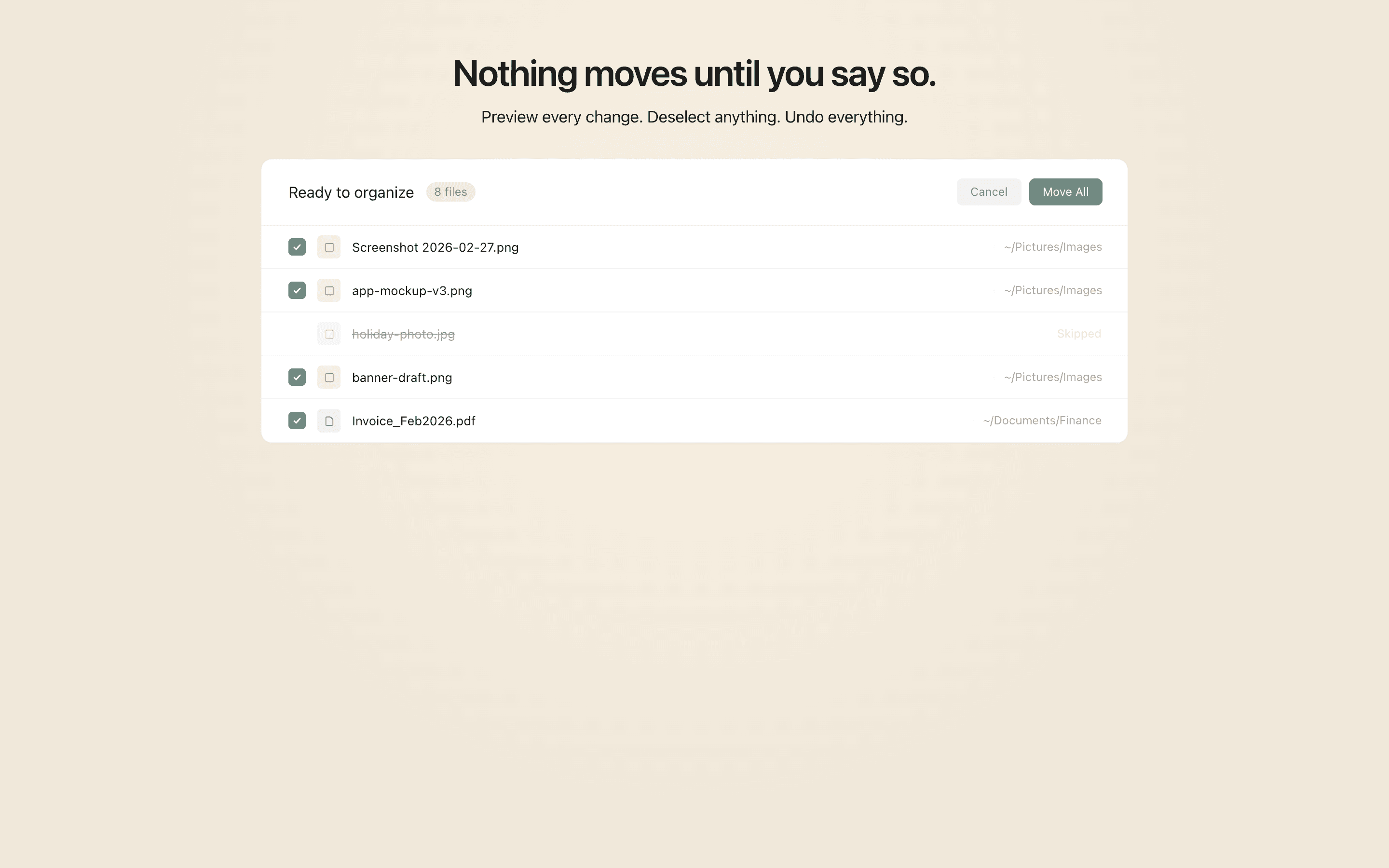
This cleanup has a preview-first path.
Keep the article open while you build one plain-language rule, review the proposed file moves, and run only the batch you trust.
- Write the rule in plain language.
- Review every proposed file move before it runs.
- Undo the whole batch if the result is wrong.
Your Downloads folder is a temporary inbox, not long-term storage.
The simplest fix is to route files out quickly with a few rules, then review leftovers weekly.
A practical Downloads system
Create destination folders first:
Documents/Incoming PDFsMedia/ImagesInstallersArchive/Old Downloads
Then build rules around file types and age.
Recommended starter rules
- Move
.dmgand.pkgfiles toInstallers. - Move screenshots and camera files to
Media/Images. - Move PDFs to
Documents/Incoming PDFs. - Move anything older than 30 days to
Archive/Old Downloads.
Keep these rules visible in preview mode until false positives are low.
Reduce mistakes with approvals
Before applying a batch, check:
- duplicate names
- same filename in different projects
- files actively in use
If uncertain, skip and let the file remain in Downloads for the next pass.
Weekly 5-minute maintenance
Use one short review:
- Sort by recent date.
- Keep only active files from the past week.
- Promote recurring exceptions into new rules.
This prevents monthly cleanup marathons.
Outcome
A managed Downloads folder reduces cognitive load and keeps important files findable.